


 Meta Launches Muse Wonder AI Models, Shares Rise 3.7%
  NEAR Protocol Leads AI Crypto Rally Amid Fed Rate Hike Fears
  Amazon in Talks to Acquire AI Startup Decart for $7 Billion
  New York Times, AFP Join Coalition to Protect Content From AI
  Trezor Cuts Reseller Network After Ledger Security Breach
  Citi Upgrades Galaxy Digital Stock, Raises Price Target to $28
  OpenAI Uses AI to Uncover Hidden Recording Device, FBI Makes Arrest
  Samsung, SK Hynix Shares Fall as China's CXMT Advances DRAM Technology
  Arm Breaches Qualcomm License Deal, Jury Awards $2
  Zcash Plans Quantum-Resistant Security Upgrade for January
  MNX Crypto Exchange Launches Futures for OpenAI, Anthropic Valuations
  Samsung, SK Hynix Shares Plunge as China Chip Competition Grows
  Elon Musk Eyes Semiconductor Manufacturing Expansion With $15 Billion Terrafab Project
  Epic Games Delays Disney Shooter, Shifts to AI-First Development
  Arm Shares Fall Over 3% After Qualcomm Wins License Dispute
  Robinhood Chain Eyes Priority Gas Auctions for Faster Trades
  Arthur Hayes Announces FLOP Testnet Launch Within Weeks


 Add as a preferred source on Google
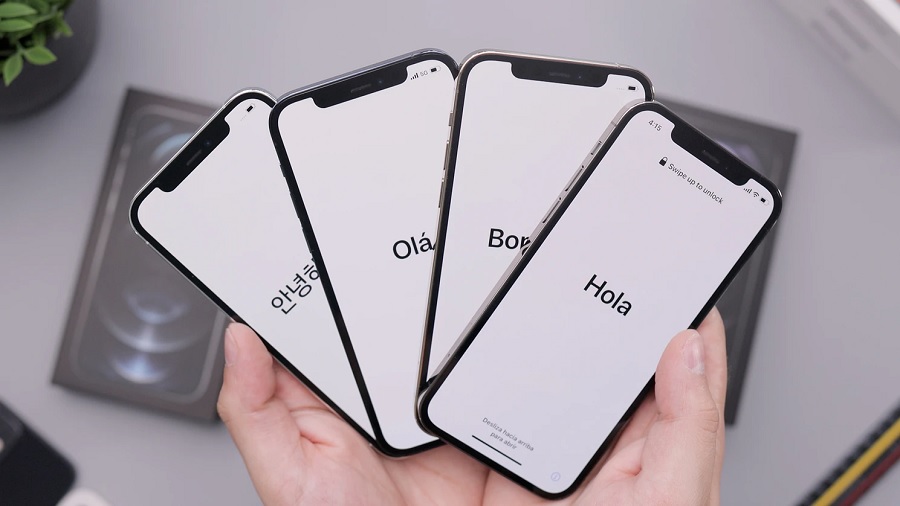
Hundreds of millions of people are using iPhone and iPad worldwide, making the iOS 14.5 and iPadOS 14.5 some of the most anticipated Apple software updates right now. The good news is, after spending months in developer and public beta, these next versions are confirmed to go live in the coming days.
iOS 14.5 release date and how to update
Apple’s official press release for the AirTag includes a footnote that says the ultra-wideband tracker will only work with iPhone, iPod, and iPad running on iOS 14.5 and iPadOS 14.5 or later. “These software updates will be available starting next week,” Apple added in the announcement published last April 20.
A specific date was not provided, and Apple rarely announces ahead of time when the latest software updates exactly go live. But “starting next week” means it could happen anytime between April 26-30 since the company usually launches full-version updates on weekdays. MacRumors noted that the first wave of iOS 14.5 updates could be available around 10 a.m. PDT based on previous releases. While the iPadOS 14.5 is technically a separate update, it is most likely going live within the same timeline as the iOS 14.5.
As with most software updates, new versions of iOS do not roll out at the same time for iPhone, iPod, and iPad users worldwide. But the mentioned date and time could be the earliest possible schedule for the full iOS 14.5 launch. Compatible devices typically put up a notification once the software update is available.
iOS 14.5: How to download and install the upcoming update
Users can also check for its availability manually by going to the Settings app > General > Software Update. Once iOS 14.5 is live, a red dot icon with “1” should appear on the right side of the Software Update tab.
It is a good practice to make a backup of the device before installing the update. Apple also advises users to plug their device into a power outlet to make sure the install will not be interrupted. To carry on with the update, tap the Software Update button, and then choose Download and Install. Depending on the size of iOS 14.5, some users might be asked to free up storage space by removing files or apps.
Featured photo by Daniel Romero on Unsplash







