


 Apple Supplier Luxshare Faces US Patent Probe, Sees Limited Impact
  Meta Launches Muse Wonder AI Models, Shares Rise 3.7%
  Arm Shares Fall Over 3% After Qualcomm Wins License Dispute
  Citi Upgrades Galaxy Digital Stock, Raises Price Target to $28
  Zcash Plans Quantum-Resistant Security Upgrade for January
  OpenAI Uses AI to Uncover Hidden Recording Device, FBI Makes Arrest
  NEAR Protocol Leads AI Crypto Rally Amid Fed Rate Hike Fears
  AT&T Sells Mexico Wireless Business to Televisa for $2 Billion
  Samsung, SK Hynix Shares Fall as China's CXMT Advances DRAM Technology
  Apple Supplier Luxshare Sees Limited Impact From US Patent Probe
  Elon Musk Eyes Semiconductor Manufacturing Expansion With $15 Billion Terrafab Project
  New York Times, AFP Join Coalition to Protect Content From AI
  Nvidia Invests in Four French AI Companies to Expand European Presence
  Yandex Data Center Hit by Drone Strike as Russia-Ukraine Cyber Infrastructure Attacks Escalate
  Robinhood Chain Eyes Priority Gas Auctions for Faster Trades
  Trezor Cuts Reseller Network After Ledger Security Breach


 Add as a preferred source on Google
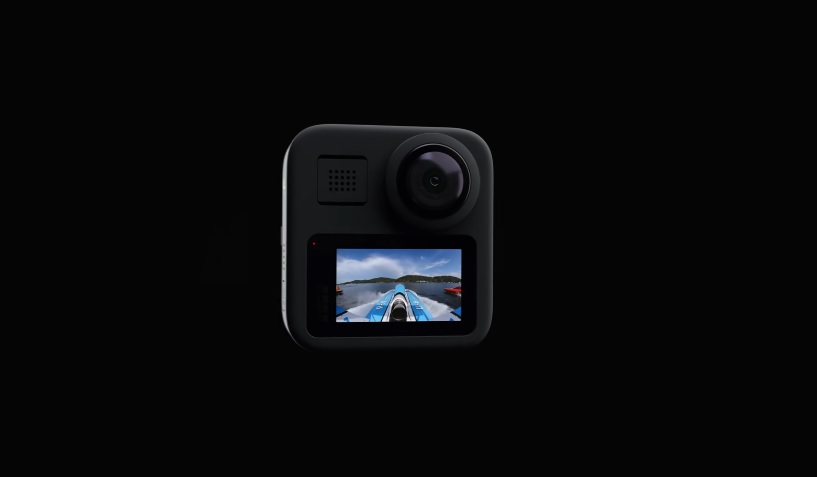
GoPro announced its two newest cameras last fall. While the flagship product is obviously the HERO8 Black, the GoPro MAX is also an interesting action camera option, with the primary attraction being the 360-degree mode.
The company is now reinforcing that with the release of the latest firmware update specifically for the GoPro MAX. The update comes with new features giving users more control to the exposure whenever they use it in 360 mode.
GoPro MAX update v1.40: How the new exposure controls work
Upon updating the GoPro MAX firmware to v1.40, users will have access to new controls called the Hemisphere and Spherical Exposure for the camera’s 360 mode. With Hemisphere Exposure, users are practically alerting the lens of their choice (GoPro Max has two) to what part of the environment it should focus the exposure adjustment without affecting other areas of the 360-degree hemisphere. It then helps prevent overexposure on areas that camera users did not intend to expose.
The difference with the Spherical Exposure is that users can choose any point in the 360-degree sphere where the camera will adjust the exposure to, and all the other parts of the environment will be adjusted accordingly. Based on GoPro’s blog post, these controls can only be used in 360 mode.
How to update GoPro MAX to the latest firmware release?
The GoPro MAX v1.40 update, released on Wednesday, also adds Smart Remote support that adds to the ways camera users can remotely adjust settings since it can also be done with the official GoPro mobile app. Smart Remote allows users to navigate their cameras even at a 600 ft distance.
The new firmware also comes with enhanced water and wind noise detection as well as volume level detection to produce videos with better audio quality through the GoPro app. V1.40 release notes also indicate that it will fix “general” bugs and improve the camera’s UI.
GoPro MAX’s latest firmware update is free and can be installed easily as well. Camera users will only need to initiate the update through the GoPro app or do it manually by following the steps and submitting details about your camera and GoPro account here.







