


 Arm Shares Fall Over 3% After Qualcomm Wins License Dispute
  Amazon in Talks to Acquire AI Startup Decart for $7 Billion
  Apple Cuts iPhone 18 Pro Production Orders Amid Weak Demand
  Apple Supplier Luxshare Sees Limited Impact From US Patent Probe
  SpaceX Starlink Restrictions Disrupt Ukraine Military Operations
  OpenAI Uses AI to Uncover Hidden Recording Device, FBI Makes Arrest
  TSMC Profit Set to Surge 65% as AI Chip Demand Drives Record Earnings
  Robinhood Chain Eyes Priority Gas Auctions for Faster Trades
  Arthur Hayes Announces FLOP Testnet Launch Within Weeks
  Trezor Cuts Reseller Network After Ledger Security Breach
  Nvidia Invests in Four French AI Companies to Expand European Presence
  Elon Musk Eyes Semiconductor Manufacturing Expansion With $15 Billion Terrafab Project
  Arm Breaches Qualcomm License Deal, Jury Awards $2
  ASML Raises 2026 Sales Forecast as AI Chip Demand Surges
  Alibaba Unveils Qwen AI Smart Glasses, Shares Rise 2%
  Yandex Data Center Hit by Drone Strike as Russia-Ukraine Cyber Infrastructure Attacks Escalate
  New York Times, AFP Join Coalition to Protect Content From AI


 Add as a preferred source on Google
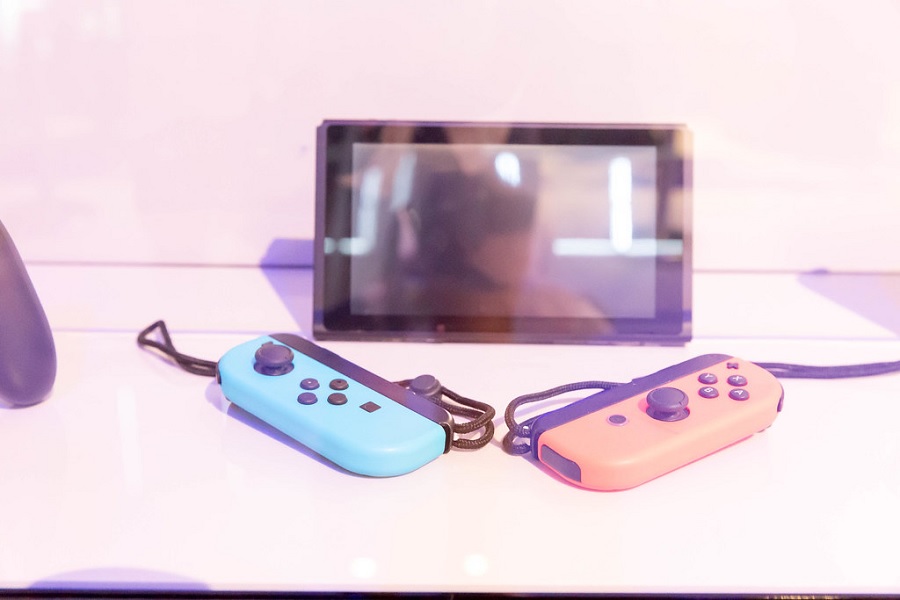
In true Nintendo fashion, the video game company released another Nintendo Switch patch this week without giving specific details about what it actually fixes or improves in the console. However, reports have it that the update will benefit Joy-Con controllers.
Nintendo Switch update 10.1.0 reportedly improves Joy-Con
To be fair to Nintendo, it practically has a regular schedule of releasing updates for the Nintendo Switch system. But it has been consistent in giving often one-liner patch notes. Even the so-called birthday patch in March contained one very generic information, so it is only fitting that players do not expect anything extravagant from v10.1.0.
Nintendo Switch patch 10.1.0 rolled out on Monday with the same generic patch note, “General system stability improvements to enhance the user's experience.” It is unclear what other specific issues the update fixes, but it is still best to install it as soon as possible. Players could then notice the changes and improvements as they use the console after the update.
Meanwhile, Nintendo Life is reporting that the latest patch also improves the Joy-Cons. Exactly what is being patched on the controllers was not clear on the report, though. But, again, there is no harm in updating a device so it is best for Nintendo Switch users to have their Joy-Con up-to-date as well.
How to update Joy-Con with Nintendo Switch console
Many may not know this, but there is apparently a separate process needed to update the Nintendo Switch Joy-Con controllers. Luckily, the instructions are not too tedious.
First, users will have to make sure the Joy-Cons are properly linked to the Nintendo Switch system. To initiate the update, users will have to open the System Settings from the Home screen and then select the “Controllers and Sensors” option. They will find an “Update Controllers” option down on the page and pressing it will start the update process. Note that this has to be done for every pair of Joy-Con for people who have multiple sets of the controller.
Another good thing about Nintendo Switch is the straightforward process of updating the actual console since it is supposed to be installed automatically once the hardware is connected to the internet. To check if the console is up to date, go to System Settings, then open “System,” and check what is the current version of the console. If it does not say 10.1.0, there is also an option to manually update the console from the System Settings menu as well.
Featured photo by Marco Verch under Creative Commons license CC BY 2.0







