


 Amazon in Talks to Acquire AI Startup Decart for $7 Billion
  Nvidia Invests in Four French AI Companies to Expand European Presence
  NEAR Protocol Leads AI Crypto Rally Amid Fed Rate Hike Fears
  Apple Supplier Luxshare Faces US Patent Probe, Sees Limited Impact
  MNX Crypto Exchange Launches Futures for OpenAI, Anthropic Valuations
  Trump Buys Up to $25M in Meta Stock, Invests in SpaceX Debt
  Nvidia’s China AI Chip Market Share Falls to 34% as Huawei Gains Ground
  Elon Musk Eyes Semiconductor Manufacturing Expansion With $15 Billion Terrafab Project
  Arthur Hayes Announces FLOP Testnet Launch Within Weeks
  Epic Games Delays Disney Shooter, Shifts to AI-First Development
  OpenAI Annualized Revenue Hits $50 Billion, Below Earlier Estimates
  Zcash Plans Quantum-Resistant Security Upgrade for January
  Trezor Cuts Reseller Network After Ledger Security Breach
  Yandex Data Center Hit by Drone Strike as Russia-Ukraine Cyber Infrastructure Attacks Escalate


 Add as a preferred source on Google
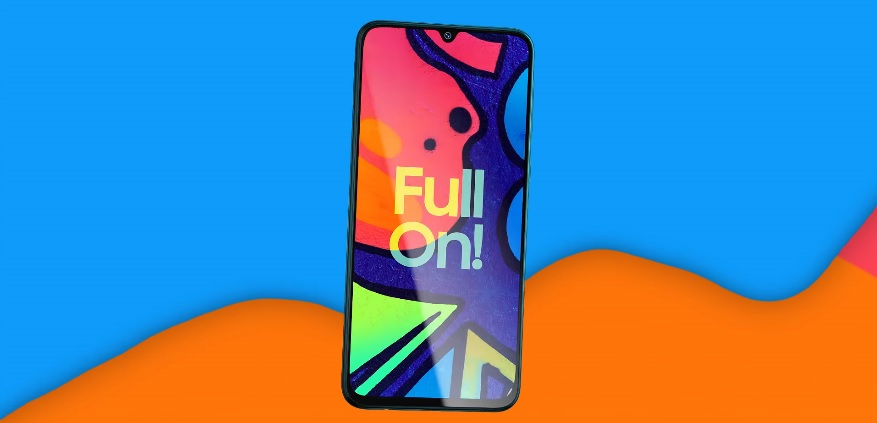
Samsung’s intention to bring the Android 11-based One UI 3.0 update to more mid-range models is much clearer now. The company surprised some fans after it included the Galaxy F41 in the list of devices getting the operating system improvement.
How to update Galaxy F41 to the Android 11-based One UI 3.0
Android updates usually arrive a few weeks or even months after Google launched the latest OS version. The wait is often longer for people who own mid-range or low-end smartphones, so it is worth noting that Samsung has added the Galaxy F41 to the list of budget devices it granted access to the Android 11 and One UI 3.0 updates this month.
Some reports mention that the update appears to have been initially made available to Galaxy F41 owners in India, where the device is known the most. Updates can be over-the-air by following this set of actions: go to the Settings app > open Software Update menu > choose Download and Install. Ensure that the device has enough battery before starting the installation because users might encounter some issues when the device shuts down before the update is completed.
Once Galaxy F41 owners update their device to the Android 11-based One UI 3.0, they will be using the firmware version F415FXXU1BUAC. Anyone who owns this model, whether they are in India or not, and have not yet gotten a software update notification should not worry. Updates do not usually roll out at the same time for all users.
Others were quite shocked that the Galaxy F41 was even considered for the update. Since it was launched last fall, Samsung fans have considered the F series redundant and a weaker version of Samsung’s other mid-range line, the M series. Samsung just released the update for the Galaxy M31 last week, around the same time it went live for the first Galaxy Fold.
What features to expect from the Android 11-based One UI 3.0
Samsung Galaxy F41 owners will also access the latest security patch upon installing the Android 11-based One UI 3.0 update. Of course, they can also expect a slew of new features and new interface designs.
Samsung has also added new options to customize the Quick Panel based on the user’s preferences or mostly used features. Other small changes that people may find useful are the edge-to-edge screen for video calls, improved notification option that groups all messaging apps alerts, and a “cleaner” lock screen transition.







