


 Epic Games Delays Disney Shooter, Shifts to AI-First Development
  Elon Musk Eyes Semiconductor Manufacturing Expansion With $15 Billion Terrafab Project
  Apple Cuts iPhone 18 Pro Production Orders Amid Weak Demand
  Nvidia Invests in Four French AI Companies to Expand European Presence
  Arthur Hayes Announces FLOP Testnet Launch Within Weeks
  OpenAI Annualized Revenue Hits $50 Billion, Below Earlier Estimates
  Moonshot AI Executives Seek Settlement Ahead of Hong Kong IPO
  Nvidia’s China AI Chip Market Share Falls to 34% as Huawei Gains Ground
  AT&T Sells Mexico Wireless Business to Televisa for $2 Billion
  Trezor Cuts Reseller Network After Ledger Security Breach
  Amazon in Talks to Acquire AI Startup Decart for $7 Billion
  Arm Breaches Qualcomm License Deal, Jury Awards $2
  Trump Buys Up to $25M in Meta Stock, Invests in SpaceX Debt
  MNX Crypto Exchange Launches Futures for OpenAI, Anthropic Valuations
  New York Times, AFP Join Coalition to Protect Content From AI
  Meta Launches Muse Wonder AI Models, Shares Rise 3.7%
  TSMC Profit Set to Surge 65% as AI Chip Demand Drives Record Earnings


 Add as a preferred source on Google
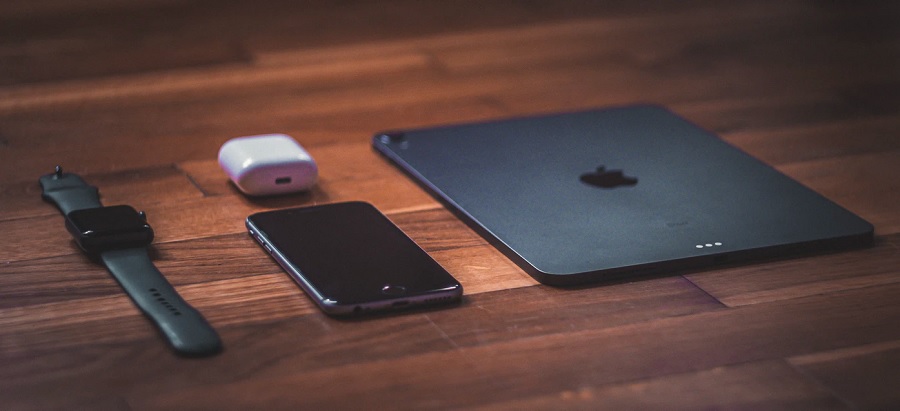
While Apple fans await the official release of the next features-focused operating system updates for iPhones, iPads, and Apple Watches, they have one crucial OS version to install right now. The company confirmed that a security vulnerability attacking the devices’ WebKit may have been “actively exploited.”
Apple confirms emergency security update for iPhone, iPad, and Apple Watch
From time to time, Apple releases emergency updates between versions of iOS, iPadOS, and watchOS. This time, it is one of those updates that concerned users should install as soon as it becomes available because it addresses an issue that could pose security threats on their Apple devices.
Apple published an urgent security notice for iPhone, iPad, and Watch users on March 26 to notify them of the security content delivered through the iOS 14.4.2, iPadOS 14.4.2, and watchOS 7.3.3 updates. The announcement does not say much about the security issue other than a summary of what attackers could use it, its identifier, and the people that discovered the flaw.
The vulnerability is now identified by Apple as CVE-2021-1879 that impacts the WebKit engine on all devices. In Apple’s very brief explanation, the company only stated the security issue could have led to “processing maliciously crafted web content may lead to universal cross site scripting.” The Cupertino, California-based tech giant, also confirmed a report that the bug “may have been actively exploited.” The flaw was discovered by Google Threat Analysis Group security engineers Clement Lecigne and Billy Leonard.
Simply put, attackers aware of the security flaw may have used it to access private data. And since WebKit is mainly used for Apple’s Safari web browser, the issue is potentially drastic enough. Apple did not suggest that a cyber attack of a massive scale took place, but it is still best for iPhone, iPad, and Watch users to immediately update their devices to keep their data secure.
How to update iPhone, iPad, and Apple Watch
The iOS 14.4.2 and iPadOS 14.4.2 updates are now available for iPhone 6S and later models, all iPad Pro tablets, iPad Air 2 and succeeding devices, iPad 5 and later, iPad mini 4 and later, and iPod touch 7th-gen. Meanwhile, the watchOS 7.3.3 can be installed on Apple Watch Series 3 and its successors.
To update iPhones and iPads, open the Settings app, proceed to the General menu, and select the Software Update option.
Once an iPhone has the latest iOS version, watchOS updates can be installed directly from Apple Watch by following the same instructions as for the iPhones and iPads: Settings > General > Software Update. Make sure the devices have at least 50% battery charge before initiating the install to avoid issues.
Featured photo by Jan Crhonek on Unsplash







