Elon Musk’s SpaceX Acquires xAI in Historic Deal Uniting Space and Artificial Intelligence
  Amazon Stock Rebounds After Earnings as $200B Capex Plan Sparks AI Spending Debate
  Anthropic Eyes $350 Billion Valuation as AI Funding and Share Sale Accelerate
  Global PC Makers Eye Chinese Memory Chip Suppliers Amid Ongoing Supply Crunch
  Nvidia CEO Jensen Huang Says AI Investment Boom Is Just Beginning as NVDA Shares Surge
  Nintendo Shares Slide After Earnings Miss Raises Switch 2 Margin Concerns
  AMD Shares Slide Despite Earnings Beat as Cautious Revenue Outlook Weighs on Stock
  Oracle Plans $45–$50 Billion Funding Push in 2026 to Expand Cloud and AI Infrastructure
  SoftBank and Intel Partner to Develop Next-Generation Memory Chips for AI Data Centers
  TSMC Eyes 3nm Chip Production in Japan with $17 Billion Kumamoto Investment
  SpaceX Reports $8 Billion Profit as IPO Plans and Starlink Growth Fuel Valuation Buzz
  SoftBank Shares Slide After Arm Earnings Miss Fuels Tech Stock Sell-Off
  SpaceX Prioritizes Moon Mission Before Mars as Starship Development Accelerates
  Sony Q3 Profit Jumps on Gaming and Image Sensors, Full-Year Outlook Raised
  Elon Musk’s Empire: SpaceX, Tesla, and xAI Merger Talks Spark Investor Debate
  Baidu Approves $5 Billion Share Buyback and Plans First-Ever Dividend in 2026
  Alphabet’s Massive AI Spending Surge Signals Confidence in Google’s Growth Engine


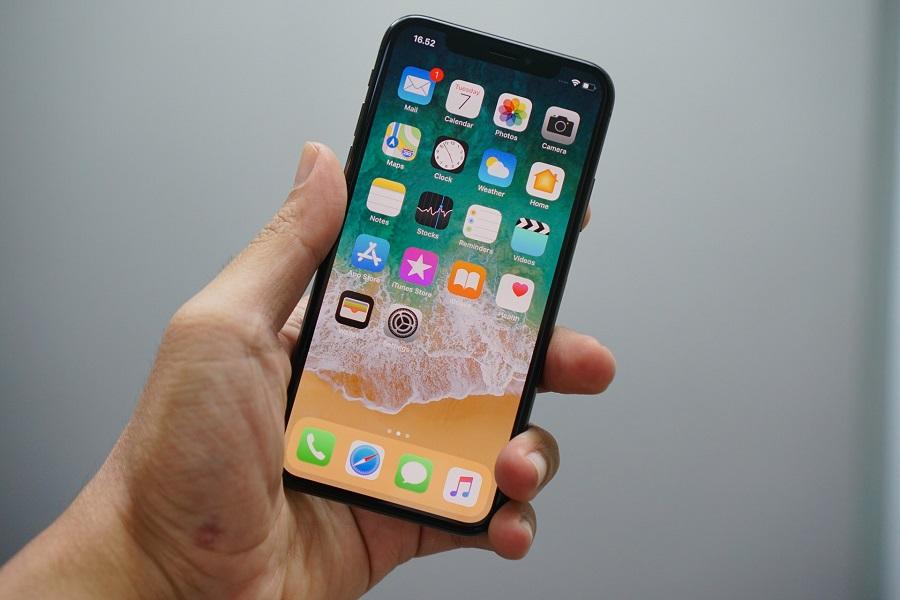
Brave iPhone users have been enjoying the release of iOS 14 public beta over the past couple of months. Anyone who does it right and install it correctly should not face any major issues. To those interested, the process of installing joining the beta program is simple and it is free for anyone with a compatible device.
How to install iOS 14 public beta
It has been Apple’s annual tradition to let developers test the upcoming iOS update months ahead of its full release. This helps them determine the changes and updates they may need to deliver so their app can maximize the benefits of the improved iOS. But Apple has also been letting non-developer folks get into the program through a public beta.
It is then worth noting that there is a paid ($99) developer beta program that Apple offers to those who want to test forthcoming updates of iOS, macOS, iPadOS, watchOS, and tvOS. One of its advantages is getting the updates earlier than in public beta. Meanwhile, those who just want to experience the new features on iOS 14 before its fall release can do so by enrolling in the free public beta.
To start, open the Safari browser on the device to be enrolled in the beta program and sign up; those with existing accounts can just sign in. They will then have to input the Apple ID and password to join. New testers will be asked to read and agree to the Apple Beta Software Program terms and conditions. A screen showing the guide in testing public betas will appear and on its lower section press on the iOS tab, open the Get Started menu, and press on the button that reads “enroll your iOS device.”
Another screen should appear that has a “Download profile” option. Press that and choose “iPhone” if the public beta is to be installed on an iPhone device and “iPad” for an iPad device. Press “Allow” button to proceed. This will initiate the download of the profile configuration that will bring the iOS 14 beta update to the device.
In the Settings app, look for the “Profile Downloaded” option below the Apple ID line tap on that and then select “Install” on the upper right side of the screen. Tap the “Install” button once it pops up again and then press “Done” when the profile is finished downloading.
After this, a software update should become available. Start the download and install just like in normal iOS updates. This should complete the process of installing the free iOS 14 public betas on the enrolled device.
iOS 14 compatible devices and other reminders
While public betas are more stable than those meant for developers, it is still best to first backup the device’s files before joining the program. Even in public beta, the iOS 14 build will still be glitchy so do not panic when apps crash or some features malfunction; remember, this is not the full version of the OS update.
Compatible devices with iOS 14 include iPod Touch (7th generation), iPhone 6s series, the old and new iPhone SE, iPhone 7 and 7 Plus, iPhone 8 and 8 Plus, iPhone X, iPhone XR, iPhone XS and XS Max, iPhone 11, iPhone 11 Pro and Pro Max. The full version of iOS 14 will be released in the Fall.